Forgot your TikTok password? Reset it in four steps
The reset code goes to the phone number or email linked to your account. From the login screen it takes four taps; if you’re still logged in on another device, there’s a route from inside the app too.
Show the stepsI’m still logged in
Profile checkerNewcheck a TikTok profile by usernameNot logged in
Reset your TikTok password from the login screen
These are the steps from TikTok’s Help Center, on the screens you’ll see.
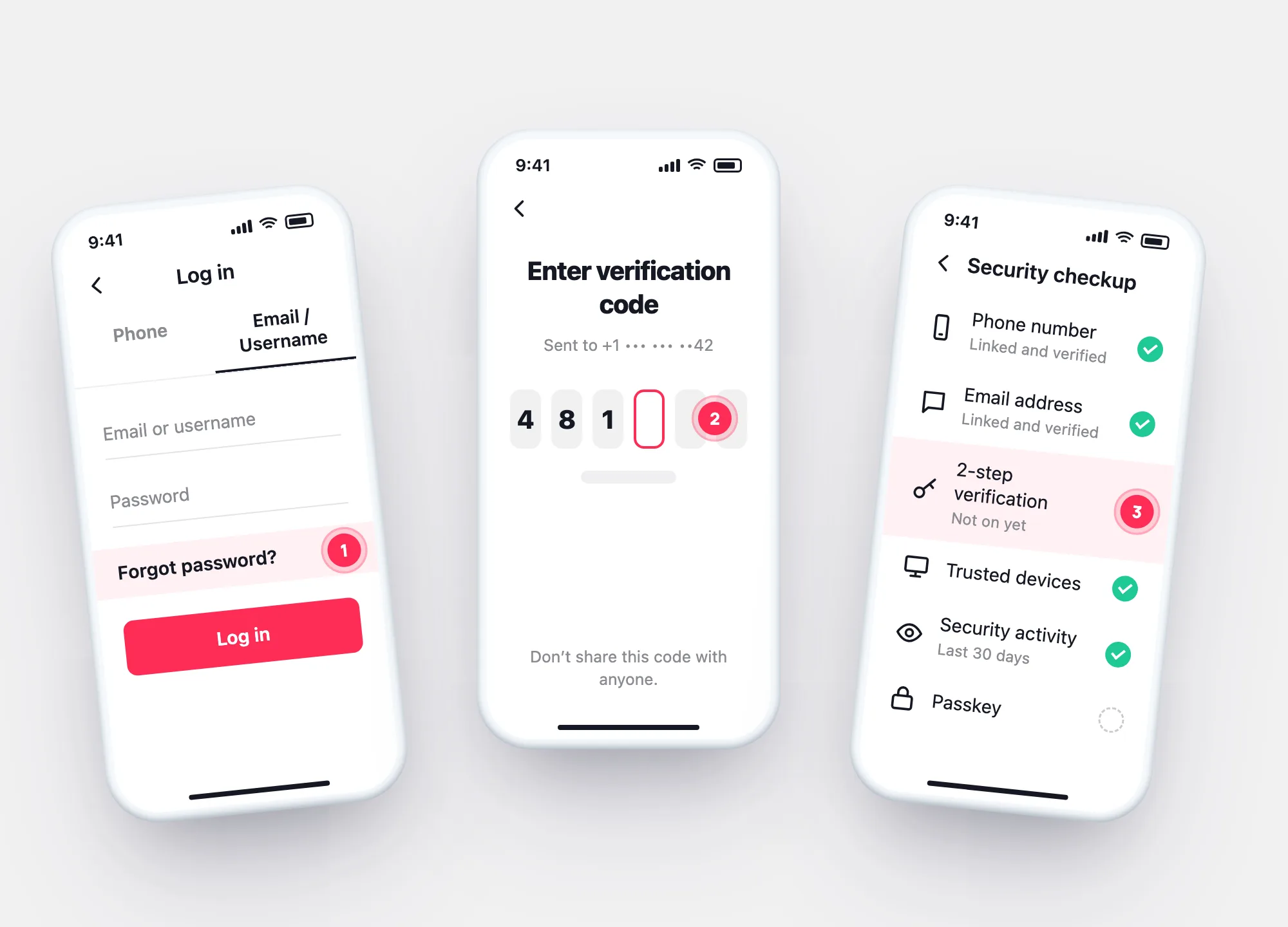
On the login screen, pick the phone, email or username option.
Open the Email/Username tab and tap Forgot password?
Choose to reset with your phone number or email, enter the code, set a new password.
No code? See why a TikTok verification code doesn’t arrive.
Still logged in somewhere
Change or reset it from inside the app
If TikTok still opens on one of your devices, you don’t need the login screen.
Profile → ☰ → Settings and privacy → Account.
Tap Password and change it. Don’t remember the old one? Next step.
Settings and privacy → Report a problem → Account and profile → Login → Forgot password.
After the reset
What changes once the new password is set
TikTok’s Help Center says that once you update your password, you’re logged out of all other devices — so anyone else signed in loses access too.
- Check the device list — Settings and privacy → Security & permissions → Manage devices.
- Run Security checkup — phone, email, 2-step verification, trusted devices and a passkey in one place.
- Look back — your data archive’s login history shows which devices signed in before the reset.
The new password
Is your new TikTok password weak?
TikTok’s security tips, as a quick check. Tick what’s true — your answers stay in this browser.
Your result
Password finders
“TikTok password finder” and “password hack” sites
Searches for a forgotten password often lead to sites that promise to show or recover one.
“Find a TikTok password by username.”
TikTok’s Help Center describes resetting and changing a password — never showing one. The reset goes to the phone or email linked to the account.
“Recover your password without the code.”
The code is the check. Without your phone or email, TikTok’s own route is verification by friends, inside the app and free.
“Enter your login to check if it’s safe.”
TikTok checks lists of leaked passwords itself and tells you by email and in-app notification. A site asking for your login is collecting it.
Questions