TikTok verification code not arriving? Check where it was sent
A code goes to one of three places: your phone by SMS, your email, or an authenticator app. Each fails for its own reasons, and TikTok’s Help Center names the usual ones.
Profile checkerNewcheck a TikTok profile by usernameWhere it was sent
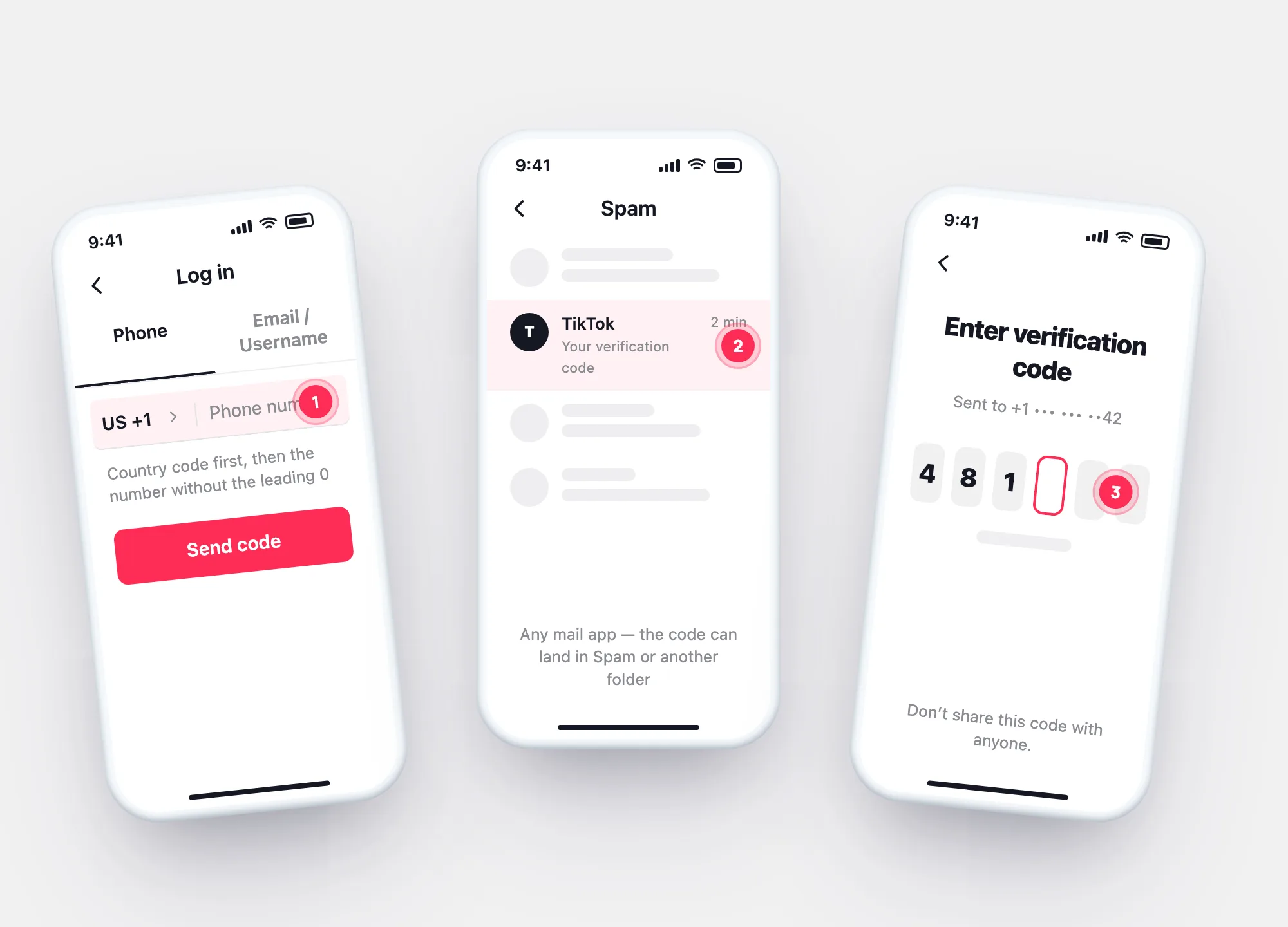
Pick where your code should arrive
Select the right country code and enter the number without the country code and without the leading 0.
If the number is right, restart your phone and request the code again. One phone number can be linked to only one account.
Show the screensCheck the address for typos and spaces, look in Spam and other folders, and make sure the mailbox isn’t full.
One email can be linked to only one account.
The code comes from the app on your phone, not by message. Lost the app? Use the recovery code you got when you set it up.
Lost authenticatorMobile numbers get reassigned. TikTok says you may be receiving codes for an account that used your number before: ignore them and don’t log in to an account you don’t recognise.
If the codes are for your account, someone may be trying to log in — check Manage devices and change your password.
Check my devicesBy SMS
The phone number format TikTok expects
Pick the country code from the list; type the number without it and without the leading 0.
If the format was right, restart the phone and request a new code. Standard SMS fees may apply.
In one picture
Three places a code can get lost
Most missing codes are a format slip or a folder. TikTok’s Help Center doesn’t give waiting times or resend limits, so we don’t either.
- SMS — wrong country code or an extra 0.
- Email — Spam or another folder, a typo, a full mailbox.
- Authenticator — the code is in the app; nothing is sent.
Compared
SMS, email and authenticator codes
| SMS | Authenticator app | ||
|---|---|---|---|
| Arrives | As a text to your number | In your mailbox | Shown in the app, nothing sent |
| Usual problem | Country code or leading 0 | Spam folder, typo, full mailbox | App lost with the phone |
| One account each | Yes — one number, one account | Yes — one email, one account | — |
| Backup | Your email, if linked | Your phone, if linked | The recovery code from setup |
TikTok recommends linking both a phone number and an email, so one can stand in for the other.
Shortcuts
“Verification code bypass” and free SMS numbers
“Bypass the TikTok verification code.”
The code is what proves the login is yours. A service that skips it would be skipping it for anyone — or it’s asking for your code to use it itself.
“Receive SMS online — free numbers for TikTok.”
Public numbers are shared and reassigned. TikTok notes that a reused number can receive codes for whoever linked it before — so whoever holds it next can reset your account.
“Send us the code and we’ll verify you.”
Anyone who has your code can finish logging in as you. Don’t share it with anyone.
Questions