TikTok account recovery: the way back depends on what you still have
Every route runs through something linked to the account — a phone number, an email, or the Google, Apple or Facebook login you signed up with. Pick what you still have, and follow TikTok’s own steps on the screens below.
Profile checkerNewcheck a TikTok profile by usernameWhat you still have
Which of these do you still have?
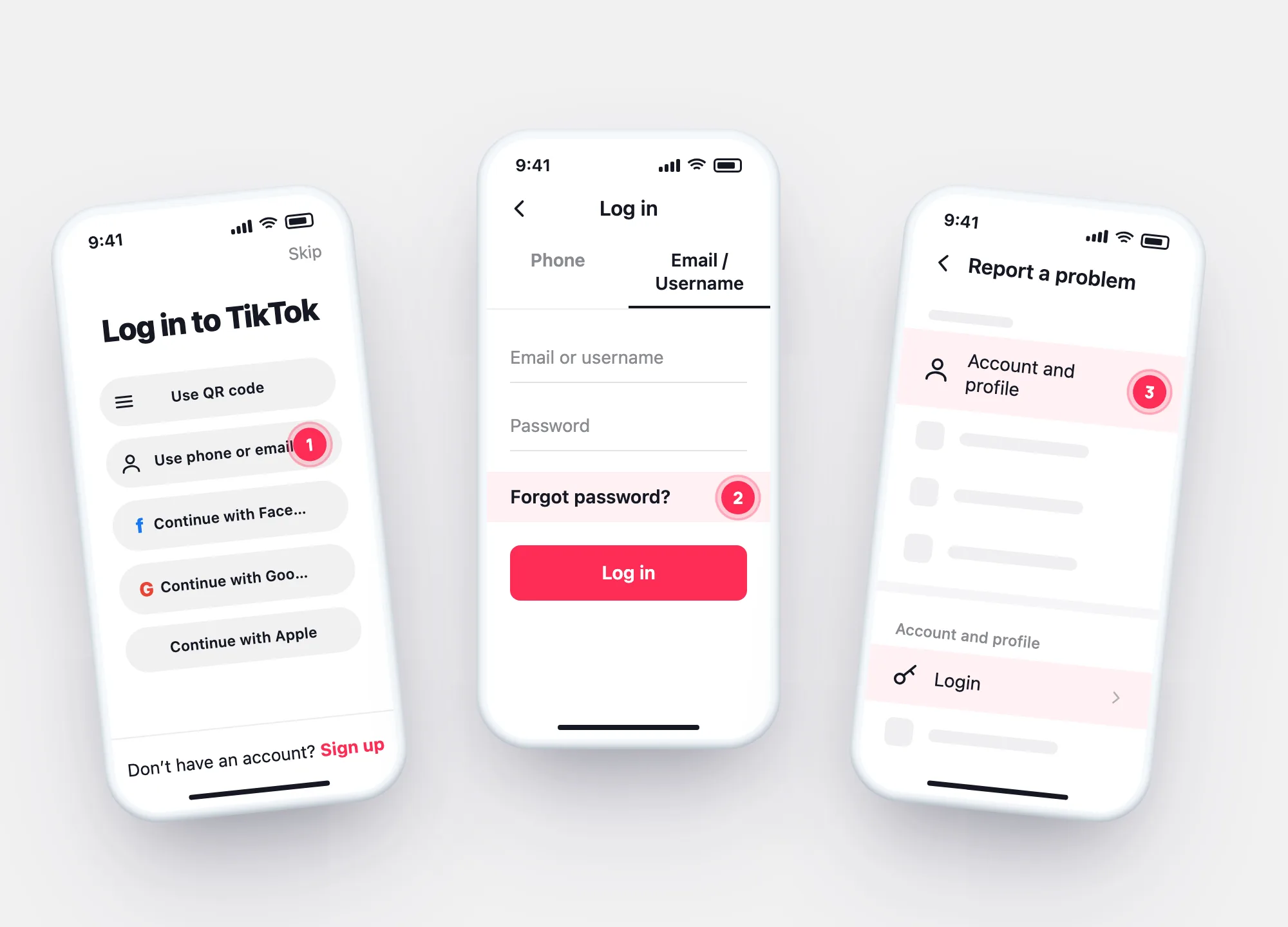
Login screen → Use phone/email/username → Email/Username → Forgot password? → reset with your phone number or email.
The code arrives there — don’t share it with anyone.
Show the screensUse the same Continue with Google / Apple / Facebook button on the login screen. If you can sign in to that account, you can sign in to TikTok.
Signing in with another accountFrom there: Settings and privacy → Report a problem → Account and profile → Login → Forgot password, or change the password directly in Account → Password.
Show the screensA reset needs something linked to the account. Without it, TikTok’s login help (Report a problem) is the only route — and no outside service can bypass it.
Without phone or emailNot logged in
Forgot password, from the login screen
Pick the phone, email or username option.
On Email/Username, tap Forgot password?, then choose phone or email.
Logged in somewhere
Login help from inside the app
Profile → ☰ → Settings and privacy, then Report a problem.
Then Forgot password and follow the steps.
At a glance
Each route, what it needs, where it stops
| Route | Needs | Stops when |
|---|---|---|
| Forgot password? (login screen) | The phone or email on the account | Both were changed by someone else |
| Continue with Google / Apple / Facebook | Access to that linked account | You lost that account too |
| Report a problem → Login (in app) | Being logged in on any device | You’re logged out everywhere |
| “Recovery service” online | Your codes or password | Scam It never works — and risks the account |
After recovery
Back in? Check what happened while you were out
Download your data and open it here: login history shows unknown devices and networks, the follower comparison shows what changed.
- Remove unknown devices in Manage devices
- Set a new, unique password
- Check the phone number in Account information
Questions