Security checkup
Everything in one list
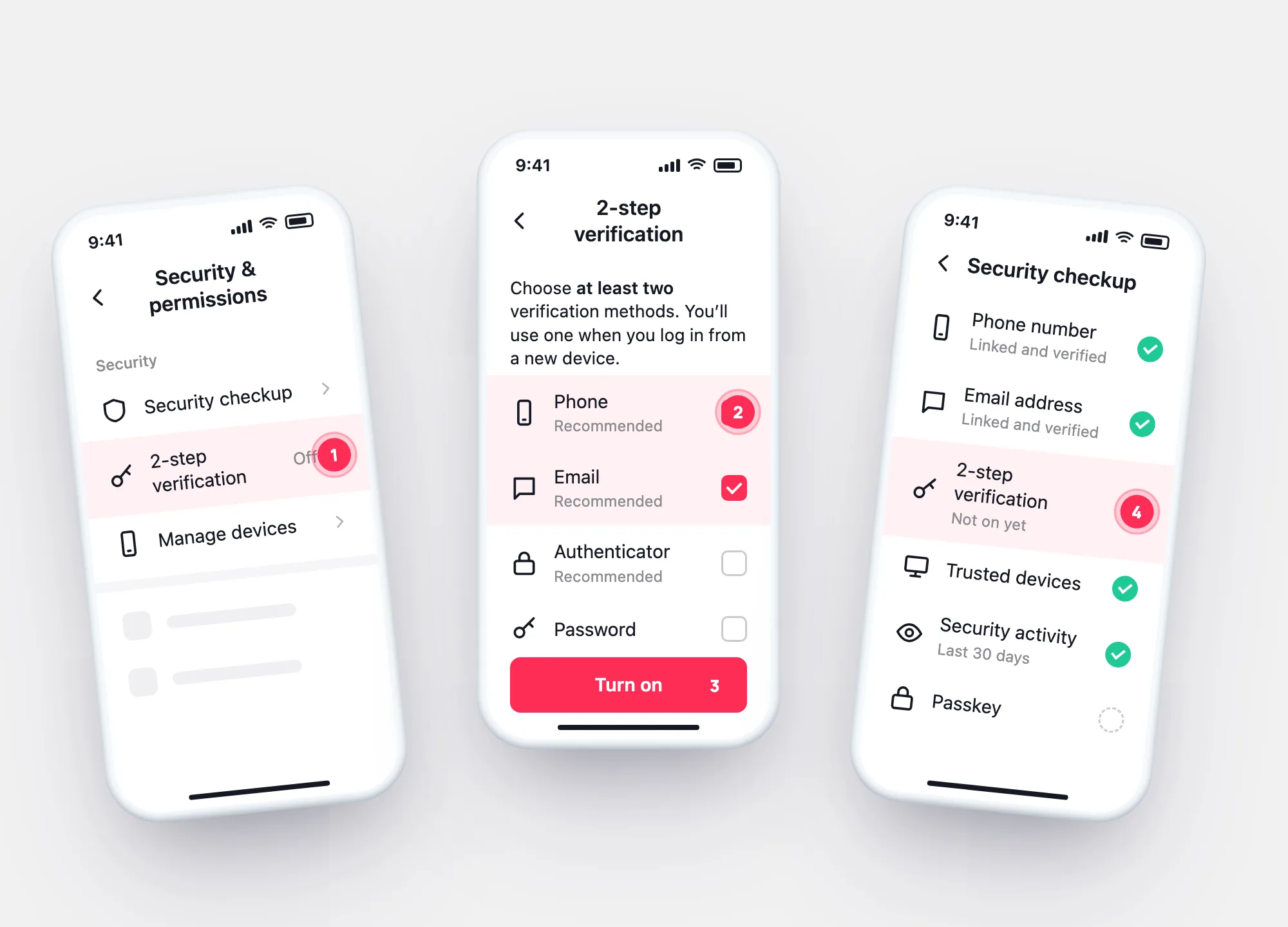
Security & permissions → Security checkup: phone, email, 2-step verification, trusted devices, security activity for the last 30 days, passkey.
With 2-step verification on, a login from a new or unfamiliar device also needs a code from your phone, email or authenticator app. TikTok asks you to choose at least two methods; here’s the setup on real screens.
Profile checkerNewcheck a TikTok profile by usernameSetup
Profile → ☰ → Settings and privacy → Security & permissions.
In Security & permissions, tap 2-step verification.
Choose at least two: Phone, Email, Authenticator or Password. Tap Turn on.
For phone or email, add the contact if it’s missing, tap Continue and enter the code.
Methods
| Phone | Authenticator | Password | ||
|---|---|---|---|---|
| TikTok’s label | Recommended | Recommended | Recommended | — |
| What you need | The SIM with your number | Access to the mailbox | An app like Google or Microsoft Authenticator | Your password |
| Weak spot | Lost or reassigned number | A mailbox someone else can open | Lost phone — keep the recovery code | Doesn’t help if the password leaked |
| If you lose it | Use your other method | Use your other method | Recovery code, or an identity check | Reset it |
A pair of two different things — say phone and authenticator — protects more than password plus one.
In one picture
The next time you log in from a new device, TikTok asks for a code sent to your phone, email or authenticator app, depending on what you chose. Devices you use often can be remembered after the code.

Around it
Security checkup
Security & permissions → Security checkup: phone, email, 2-step verification, trusted devices, security activity for the last 30 days, passkey.
Passkey
Account → Passkey → Set up. It uses Face ID, a passcode, fingerprint or PIN on your phone.
Login history
Your data archive lists every past login with device and network. TkSpy reads it on your device.
Open my login history →Questions