TikTok login with Google, Facebook or Apple: the button has to match
Each Google, Facebook or Apple account can be linked to only one TikTok account. Tap a different button and you land in a new, empty account — or nowhere. Here’s how to find the one you used.
Which one did I use?Password problems
Profile checkerNewcheck a TikTok profile by usernameHow it works
Four rules TikTok’s Help Center sets for signing in with another account
Signing in with another service is a login method, like a phone number or an email. TikTok’s Help Center says:
- One to one — each phone number, email and social media account can be linked to only one TikTok account.
- Same button every time — log in through the third-party service you used before for that account.
- Password lives there — if you joined with another social media account, the password is reset on that platform, not on TikTok.
- Not every service — Instagram and X are not supported for signing up. If you signed up with X earlier, you may still be able to log in.
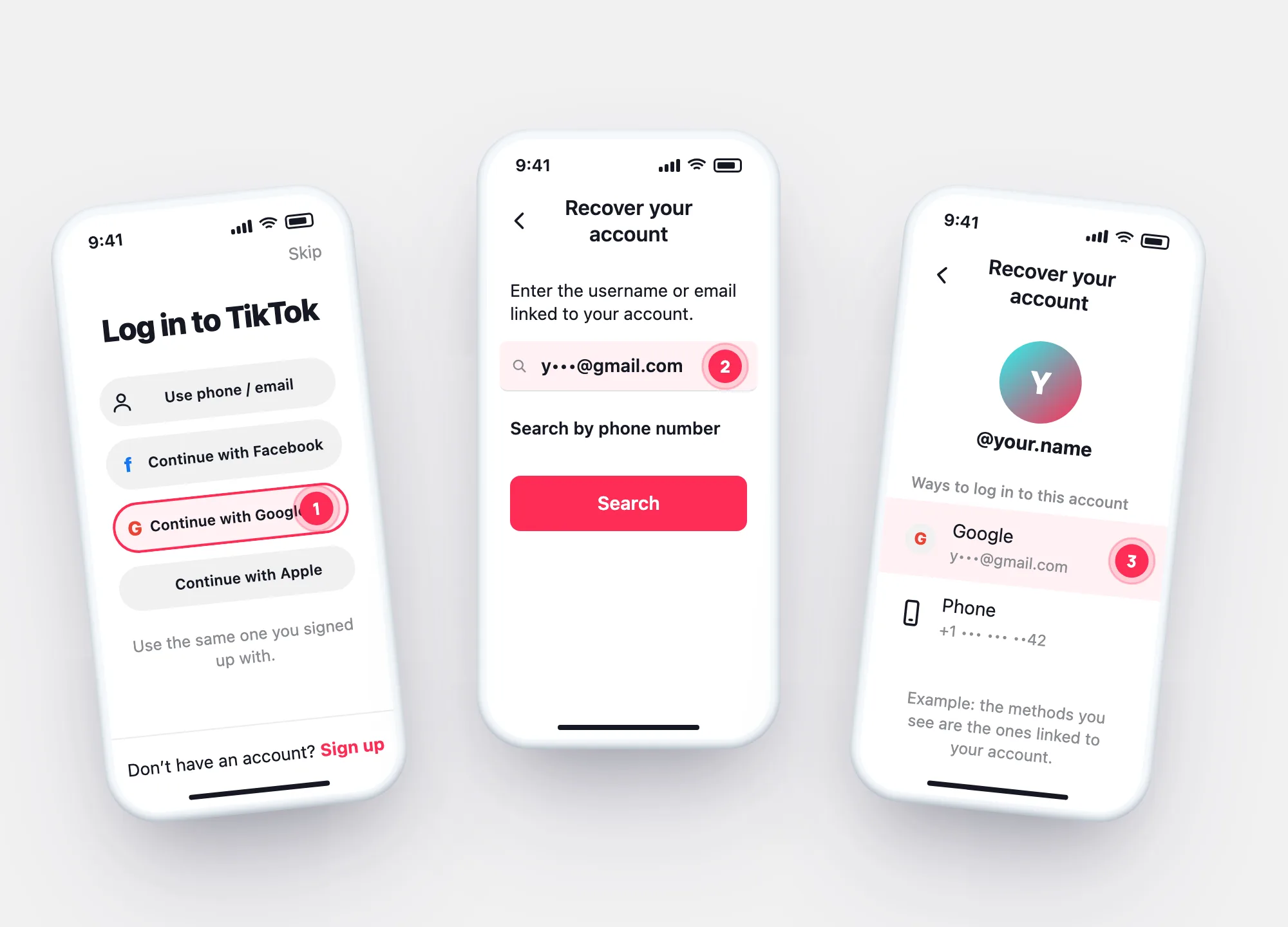
Which one did I use?
Look up the login methods of your account
TikTok: if you forget your username, email, phone number or the other login method you used, enter the email or phone number of your account on the account recovery screen to see all your login methods.
On the login screen, tap Help at the top → Recover your account.
Enter the email, or tap Search by phone number. Signed up with Google or Apple? Try the email you use there.
Use one of them — for a social login, the same button on the login screen.
Password problems
Social login vs. phone or email: where each one is fixed
| Google, Facebook or Apple | Phone, email or username | |
|---|---|---|
| Forgot the password | Reset it on that service — TikTok doesn’t hold it | Forgot password? → code to your phone or email |
| What you tap to log in | The same Continue with… button as before | Use phone / email / username |
| Can it be linked to two TikTok accounts? | No — one account each | No — one account each |
| Second way in | Add a phone or email to your TikTok account | Turn on 2-step verification |
TikTok lets you change or remove your email or phone only once another login method is on the account — so add one while you still have access.
Questions