TikTok phishing and recovery scams: one rule catches most of them
TikTok says it never asks for your password or verification codes. Almost every scam — fake support, “copyright” threats, free followers, paid recovery — ends with exactly that request.
Check a messageI already replied
Profile checkerNewcheck a TikTok profile by usernameCheck a message
Is this message a TikTok scam?
Tick what fits the message, link or site in front of you. Your answers stay in this browser.
Your result
What TikTok does and doesn’t do
How real TikTok contact looks
TikTok’s Help Center says legitimate messages won’t ask for personal information like your name, contact details or password.
- Never — a request for your password or verification code, by any channel.
- Feature issues (for example, recharging Coins) — an Inbox notification in the app, with a pop-up at the bottom you accept.
- Government and political accounts — email from an address ending in @tiktok.com about verification.
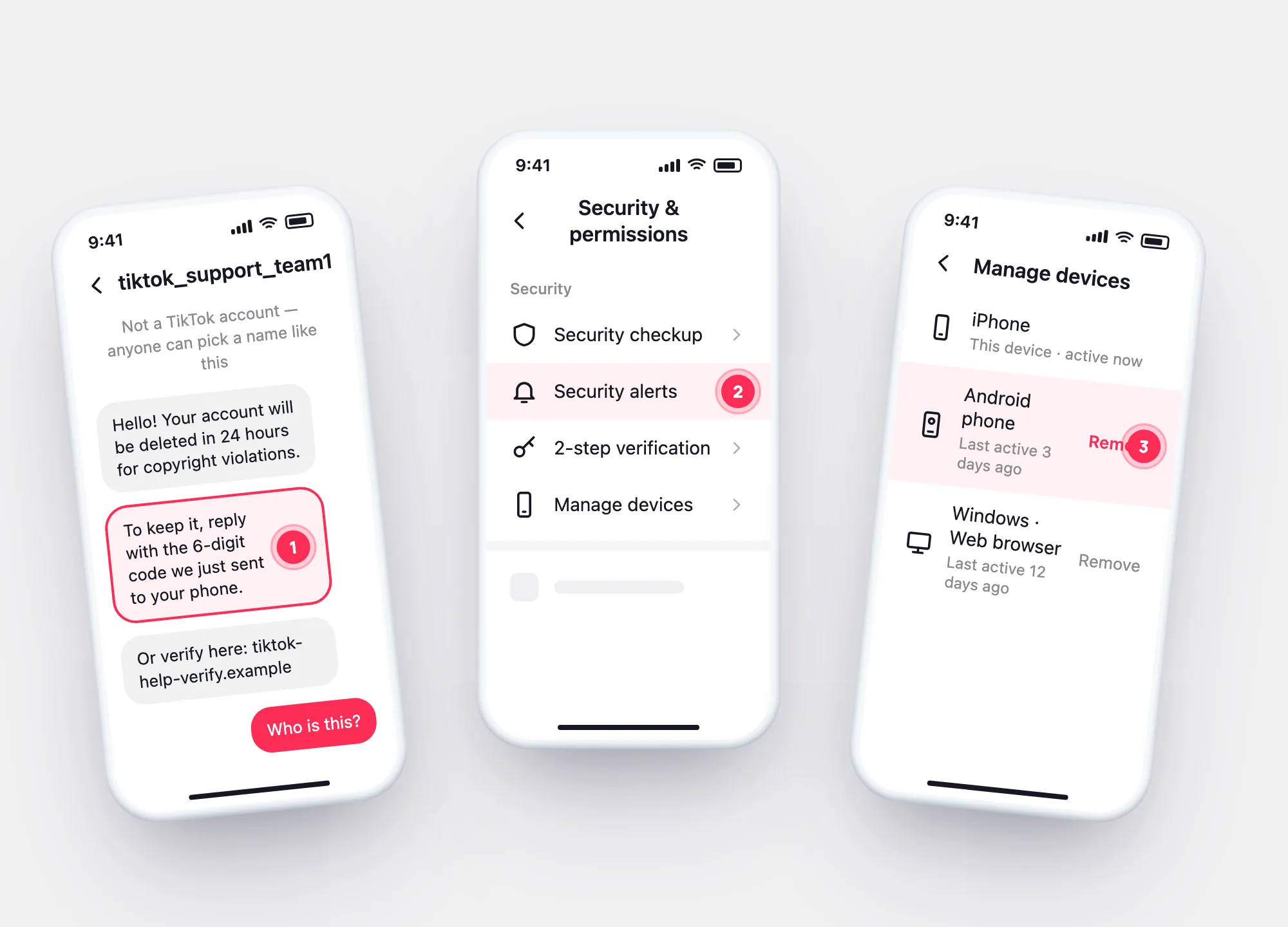
Common scams
Five TikTok scams and where each one ends
“TikTok Support: verify your account or it will be deleted.”
Anyone can put “support” in an account name. TikTok says it won’t ask for your code or password — the message wants exactly that.
“Copyright violation — appeal here.”
Real violation notices arrive in the app (Inbox → System notifications → Account updates), and appeals happen there, not on an outside site.
“Free followers, likes and Coins — log in with TikTok.”
TikTok warns these sites may get access to your login. Followers you didn’t earn are also the kind of activity Community Guidelines target.
“We recover hacked or banned TikTok accounts for a fee.”
Recovery and appeals run in your own app, free. A recovery service needs your login or codes — the same thing a hacker needs.
“Your code was sent by mistake — please send it back.”
A code arrives because someone tried to log in or reset your password. Whoever gets the code can finish it.
If you already replied
Sent a code or password? Lock the account in this order
Account → Password. TikTok logs out every other device when you do.
Security & permissions → Security alerts: unusual events you don’t recognise.
Remove any device that isn’t yours, then turn on 2-step verification.
Then look back: your login history shows when an unknown device first signed in.
Questions