TikTok data download: what’s inside, and how to actually read it
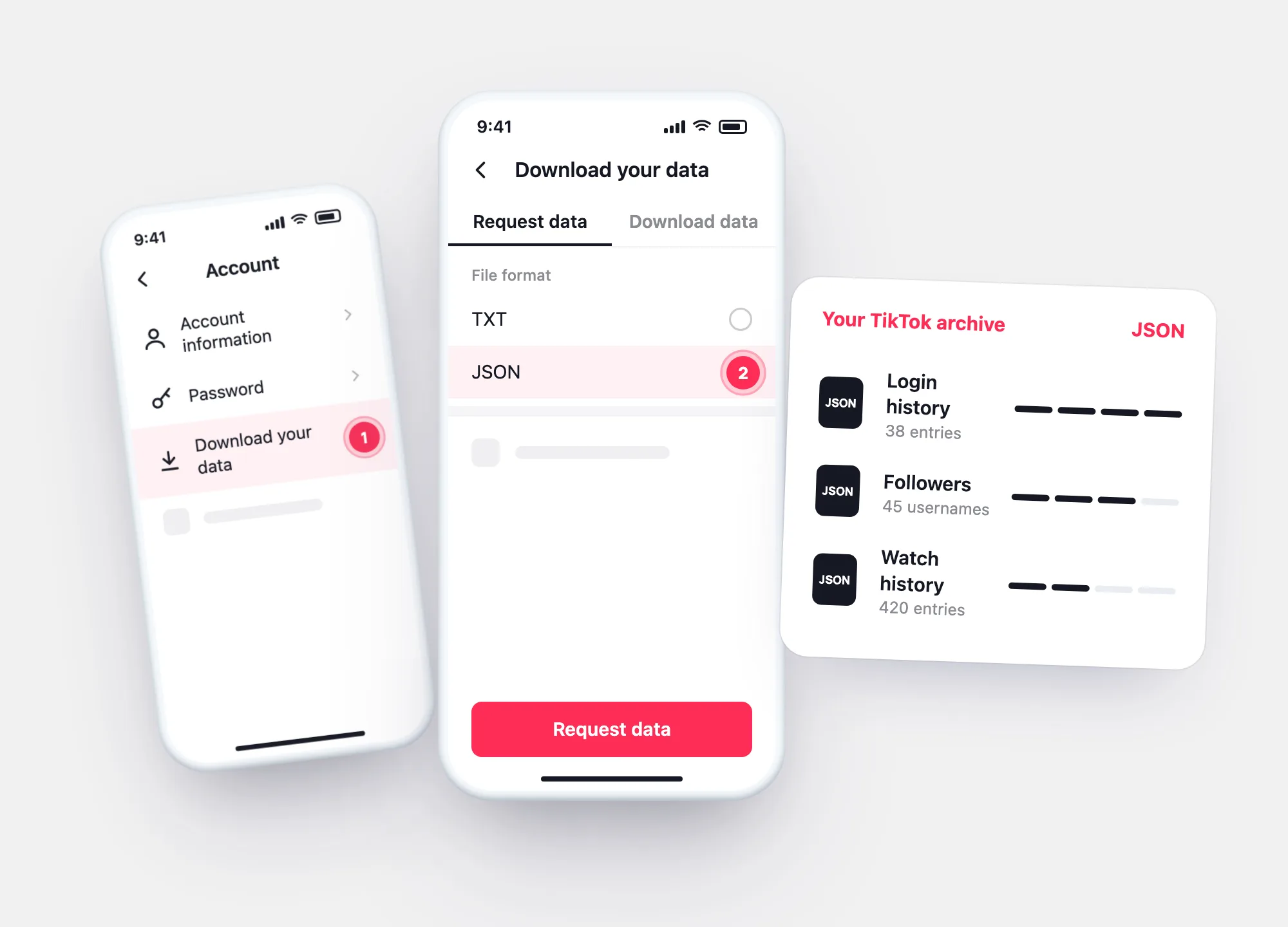
Settings and privacy → Account → Download your data. Choose JSON, download it within 4 days, then open it here to see logins, followers, messages and activity as a report.
Drop the ZIP or .json from TikTok’s Download your data. Add a second, older archive to compare followers.
Read it
Open the file you downloaded
ZIP or .json — the report reads it in your browser.
Your report will appear here. Try the sample — a made-up account with one login that isn’t the owner’s — or open your own file with the button at the top.
Request
Request your data in three screens
Profile → ☰ → Settings and privacy → Account.
Choose what to include.
Ready in a few days; available for 4 days under Download data.
What’s inside
Sections of the archive and their fields
| Section | Fields (TikTok developer docs) | In the report |
|---|---|---|
| Login history | Date, IP address, device model, device system, network type, carrier | Devices, login timeline, flags |
| Followers / Following | Date, username | Counts; comparison of two archives |
| Watch history | Date, video link, post title | Activity per day |
| Searches | Date, search term | Searches per day |
| Direct messages | Date, from, content | Chats with counts and dates — text stays in the file |
| Recently deleted posts | Date, date deleted, title and more | Listed with deletion date |
If a section has no data or a feature isn’t available in your region, TikTok says it may be empty or missing.
JSON or TXT
Which format to choose
Both formats are offered when you request your data. Choose JSON for this report — it keeps every list in a structure a tool can read. TXT is meant for reading by eye.
- JSON — structured; the report reads it
- TXT — plain text; not supported here
- The last 24–48 hours may be missing from any archive
Questions