TikTok shadowban: what TikTok actually calls it — and where it tells you
TikTok’s Help Center never says “shadowban”. It says a post, or a whole account, can be ineligible for recommendation — out of the For You feed and harder to find in search. TikTok tells you when that happens, and you can appeal.
Profile checkerNewcheck a TikTok profile by usernameWhere it shows
Check if a post or your account is out of For You
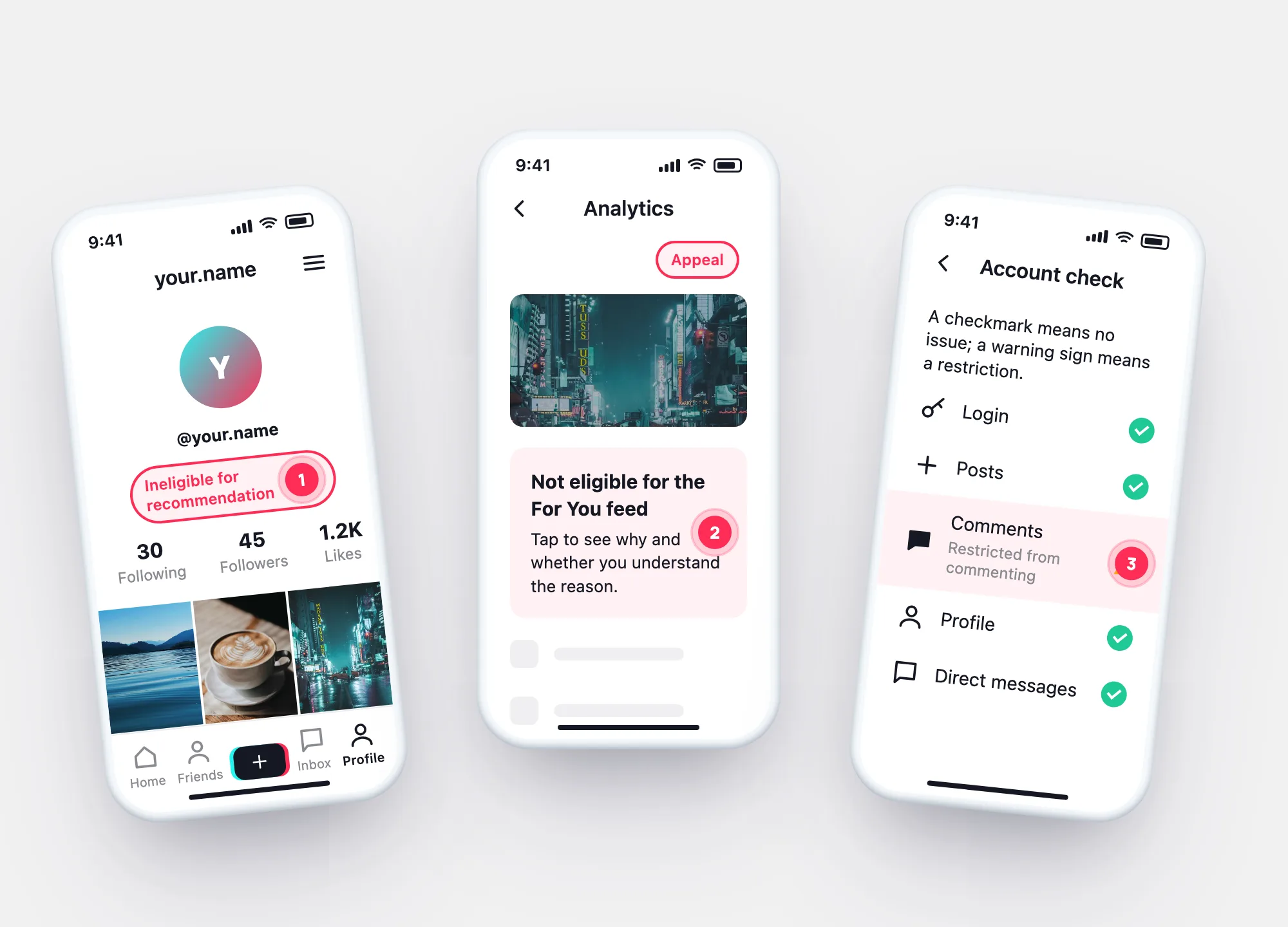
An Ineligible for recommendation notice appears below your username, and in Inbox.
On the post, More insights or … → Analytics → the notification. Analytics must be on.
Tap Appeal at the top. You can first say whether you understand the reason.
Turn on analytics: Profile → ☰ → TikTok Studio → Get started within Analytics → Turn on.
Two levels
A post out of For You vs. an account out of For You
| One post | The whole account | |
|---|---|---|
| What changes | The post isn’t shown in For You | Account and posts not in For You, harder to find in search |
| Why | The post is unsuitable for recommendation under Community Guidelines | Repeatedly posting unsuitable content |
| Where you see it | Post → Analytics → notification | Profile notice under username · Inbox |
| How it ends | Appeal approved → eligible again | Appeal, or TikTok may restore it automatically |
In one picture
Notice, reason, appeal
If there’s no notice on the profile, in Inbox or in a post’s Analytics, TikTok hasn’t marked anything. Views also rise and fall without any decision — TikTok’s Help Center doesn’t list other causes, so we won’t guess at them.
Quick check
Is it a TikTok shadowban — or something else?
Tick what you can see in your app. Your answers stay in this browser.
Your result
Checkers
“TikTok shadowban checker” tools
“Enter your username to check for a shadowban.”
TikTok shows recommendation status to the account owner — in Inbox, on the profile and in Analytics. An outside tool sees only public numbers.
“Remove your shadowban instantly — log in here.”
The only fix TikTok describes is an appeal from the notice, or automatic restoration. Logging in elsewhere just shares your account.
Questions