How the report works: your file stays on your device
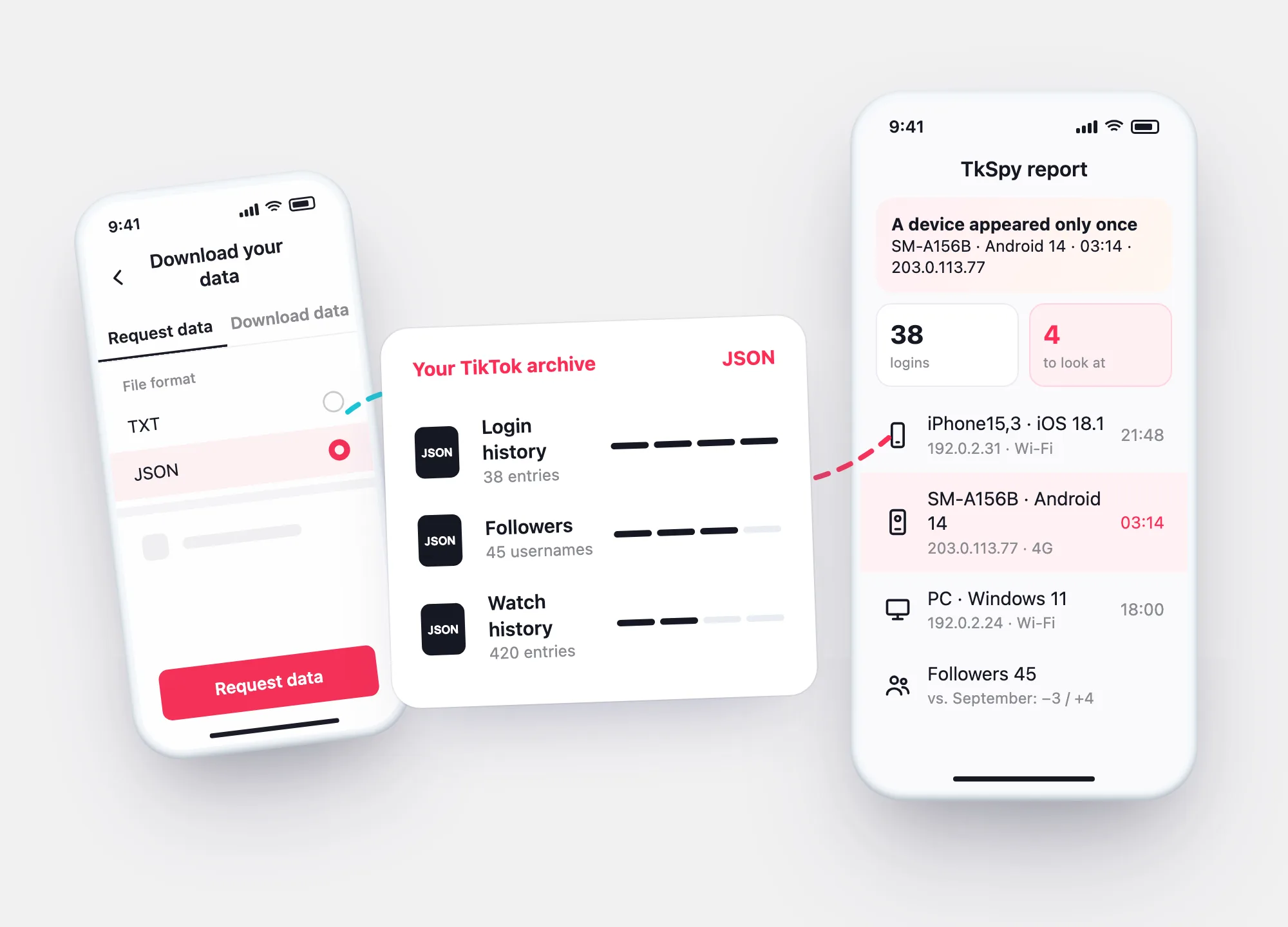
TikTok lets every account owner download a copy of their data. TkSpy opens that file in your browser and turns it into a report — logins, devices, followers. Nothing is uploaded, and nothing about you reaches us.
Profile checkerNewcheck a TikTok profile by usernamelogins
to look at
Sample data · reconstructions, not TikTok screenshots
Three steps
From TikTok’s download to your report
Choose JSON. TikTok prepares the file — it can take a few days — and keeps it ready for 4 days.
Profile → ☰ → Settings and privacy → Account → Download your data.
When it’s ready, download it under Download data within 4 days.
logins
to look at
Drop the ZIP or .json on the report. Your browser reads it and shows what it found.
More detail: TikTok data download.
Your file
What happens to the file — and what doesn’t
The report is a script that runs in your browser tab. It unpacks the archive in memory and reads it there.
- Not uploaded — the file isn’t sent to TkSpy or anyone else. Close the tab and it’s gone.
- No account — there’s nothing to sign up for, and we never ask for your TikTok username, password or codes.
- Messages stay private — for direct messages the report shows only counts and dates; the text stays in your file.
- Your own data only — the archive is the one TikTok gives to the account owner. It holds nothing about other people’s accounts beyond what you saw yourself.
What it reads
Sections of your archive the report uses
| What the report shows | Where it comes from | |
|---|---|---|
| Login history | Every login with date, IP, device, system, network and carrier; new devices flagged | Login History in your archive |
| Followers and following | Counts; with a second, older archive — who unfollowed you and who is new | Follower and Following lists |
| Watch history and searches | Activity per day for the last 30 active days | Watch History, Search History |
| Direct messages | Chats with counts and last date — no message text | Direct Messages |
| Recently deleted posts | Titles and dates, if your archive includes them | Recently Deleted |
| Share history | Whether the section is in your file | Share History |
A section TikTok didn’t include, or that’s empty for your account, is marked “not in this file”. The newest 24–48 hours may be missing from any archive.
Flags
How a login gets flagged
A flag marks the first time something appears in your history. It’s a reason to look, not proof of a break-in.
| Flag | When it appears | What to check |
|---|---|---|
| New device | A device model and system that hasn’t signed in before | Is it a phone or browser you bought or used? |
| New network | An IP range not seen before (IPv4 first two parts, IPv6 first three groups) | Travel, a new Wi-Fi, mobile data or a VPN? |
| New carrier | A mobile operator not seen before | A new SIM, roaming? |
| Two devices within an hour | A login from a different device less than an hour after the previous one | Were you switching phones — or was someone else in? |
A device that signed in only once, after your history began, gets the first line of the report. Not yours? Remove it in Manage devices.
The guides
How every guide on this site is checked
The report covers what your archive says. The guides cover what to do in the app. Each one follows the same rules:
- TikTok’s Help Center first — menu paths, time limits and rules come from tiktok.com/support articles, read in English.
- No article, no claim — if TikTok doesn’t say it, the guide says so instead of guessing.
- Screens are reconstructions — drawn to explain the steps, not screenshots of the app.
- Menus change — TikTok renames screens; if yours differs, follow the closest name.
Questions