TikTok third-party apps: what you connected and how to cut them off
Every time you tap “Log in with TikTok” on another app or site, that app gets some access to your account. TikTok keeps the list in Security & permissions, and removing an app takes two taps.
Remove an appWhat apps can see
Profile checkerNewcheck a TikTok profile by usernameWhat an app gets
What “Log in with TikTok” shares — and what it doesn’t
TikTok’s Help Center describes what a connected app can get. The app receives a unique identifier for your account, and depending on what you approve:
- Profile photo and profile name — your display name, not your username.
- Public content — if the app shows it, it carries a TikTok watermark.
- Not your password — TikTok doesn’t share it with the app.
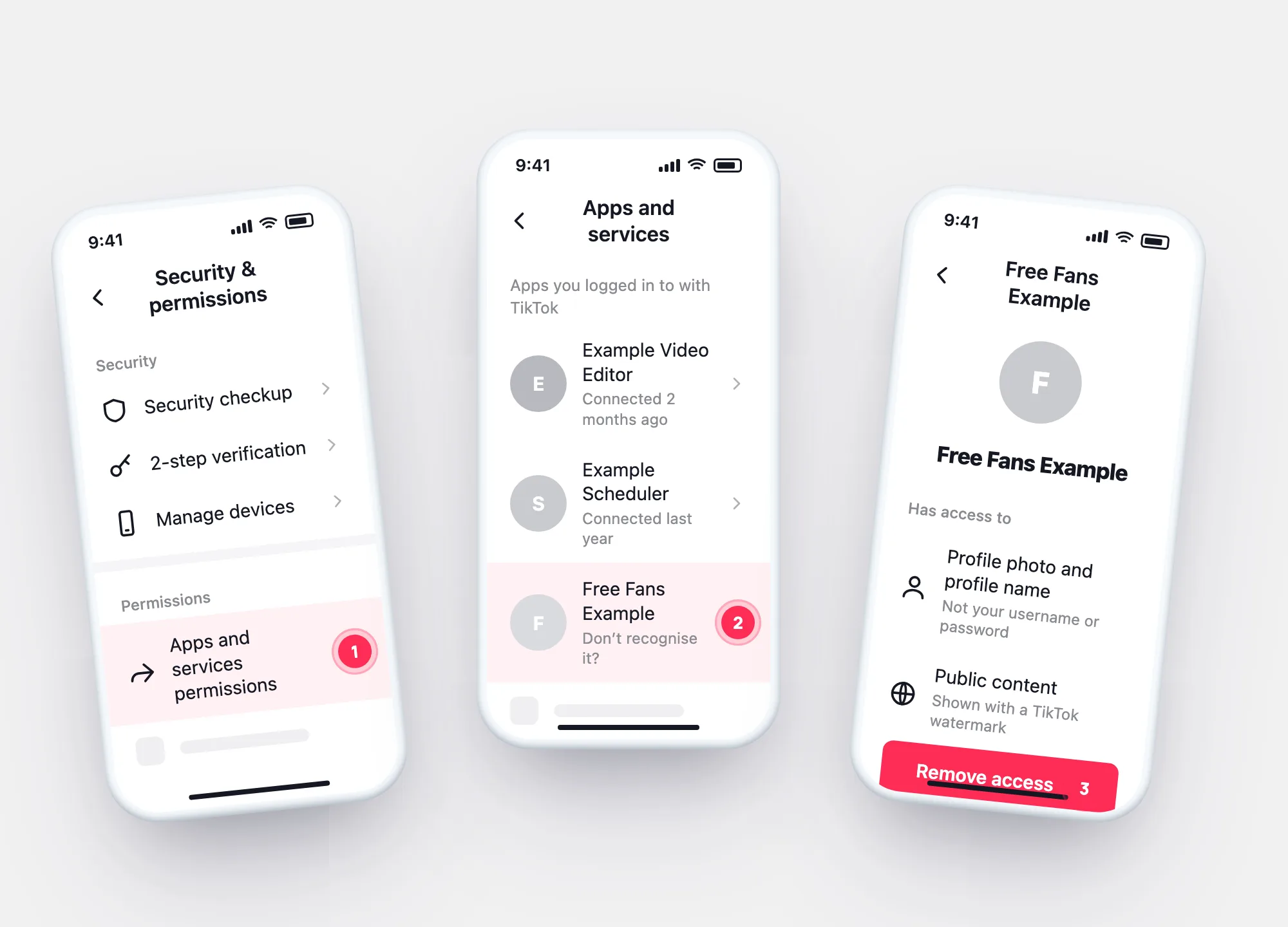
Remove access
Remove an app from your TikTok account
Do this for any app you don’t use or don’t recognise.
Profile → ☰ → Settings and privacy → Security & permissions → Apps and services permissions.
The list shows the apps you logged in to with TikTok.
The app loses access to your account from now on.
Think an app is misusing TikTok data? TikTok’s Help Center gives an address for reports: [email protected].
Keep or remove
Should this app stay connected?
Tick what fits the app in your list. Your answers stay in this browser.
Your result
Apps that ask too much
Third-party “TikTok tools” and what they really need
“Log in to see who viewed your profile.”
Profile view history is a setting inside TikTok, shown to you in the app. TikTok describes no way for outside apps to read it.
“Enter your TikTok password to get free followers.”
A real TikTok connection never asks for your password. TikTok warns that free-follower sites may get access to your login.
“Connect to unlock analytics of other accounts.”
A connected app can see what you approve on your account. Public posts of others are public in the app anyway.
Questions