Restrictions
Which feature is limited
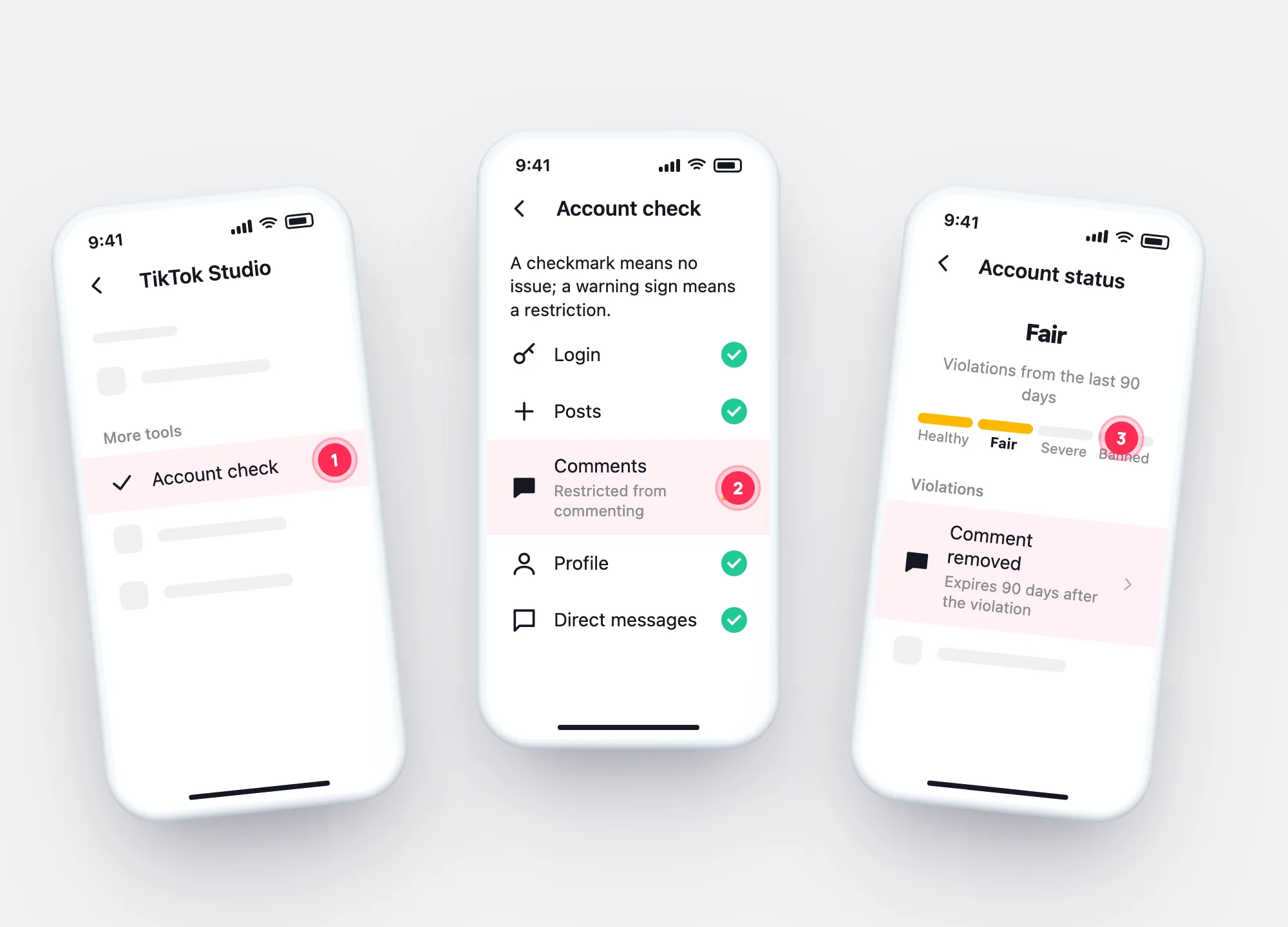
Account check marks each feature with a checkmark or a warning sign.
Your account status reflects your violation history over the last 90 days — Healthy, Fair, Severe or Banned. Account check shows which features are restricted right now. Both are a few taps away.
Profile checkerNewcheck a TikTok profile by usernameAccount check
Two ways in, both from Profile → ☰.
Profile → ☰ → TikTok Studio → More tools → Account check.
Login, Posts, Comments, Profile, Direct messages — a warning sign marks a restriction.
Your status on the four-step scale and the record of violations behind it.
Also from Settings and privacy → Support → Safety Center → Account check.
The scale
| What it reflects | What can follow | |
|---|---|---|
| Healthy | No recent violations that count | — |
| Fair | Some violations in the last 90 days | More violations lower it further |
| Severe | Repeated or serious violations | Temporary restrictions on features; a ban is close |
| Banned | Permanent ban | Appeal from the ban notice; download your data |
TikTok names the four levels and says impact depends on the policy area and the feature (comments, DMs…). It doesn’t publish exact thresholds, so we don’t either.
How it moves

Related signals
Restrictions
Account check marks each feature with a checkmark or a warning sign.
Recommendations
Posts or a whole account can be “ineligible for recommendation” without a ban.
Views dropped? →Access
Posts or messages you didn’t make aren’t a status issue. Your login history shows every device that signed in.
Open my login history →Questions