Responsible use: for your own TikTok account
Everything here helps someone get back into, take back or protect an account that is theirs — and read the data TikTok gives them about it. Nothing here explains how to get into anyone else’s.
Profile checkerNewcheck a TikTok profile by username9:41
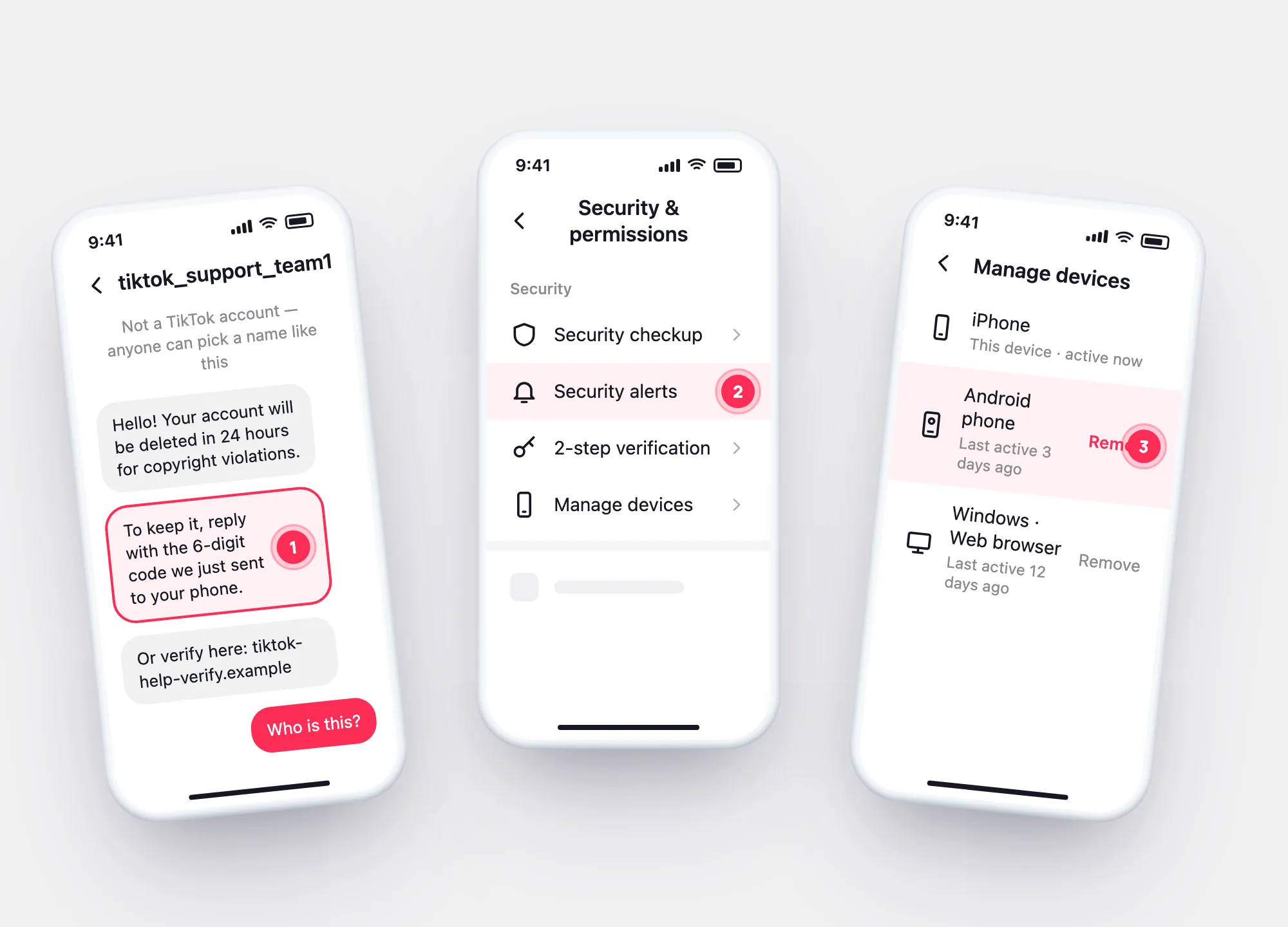
Security & permissions
Security
Security checkup
Security alerts
2-step verification
Manage devices
9:41
tiktok_support_team1
Not a TikTok account — anyone can pick a name like this
Hello! Your account will be deleted in 24 hours for copyright violations.
To keep it, reply with the 6-digit code we just sent to your phone.
Or verify here: tiktok-help-verify.example
Who is this?
The rule TikTok givesTikTok never asks for your password or verification codes
What we turn down
Requests we turn down — and what works instead
| Request | Why not | Instead |
|---|---|---|
| Get into someone’s TikTok | It’s their account and their messages | Nothing — only the owner can recover it |
| See who viewed a profile beyond what TikTok shows | No outside tool can see it | Profile view history inside the app |
| Track where someone is from their TikTok | TikTok doesn’t show other people’s location | Your own archive shows only your own logins |
| Lift a ban for someone | Only TikTok reviews appeals | The owner appeals in the app |
Paid “hacking” and “recovery”
Paying someone to hack or recover an account is a scam
Offers to hack, unlock, unban or recover a TikTok account for a fee end the same way: they ask for a login, a code or money first.
- TikTok never asks for your password or verification codes — anyone who does isn’t TikTok.
- Recovery and appeals are free and run in the owner’s own app.
- “Hacking” services either take the money or try to take your own account.
Parents and partners
Worried about someone else’s TikTok?
Some features exist for exactly this — with the other person knowing:
- Parents of teens — TikTok offers Family Pairing, a safety feature for parents and teens. Set it up in TikTok itself, not through an outside app.
- Someone you know was hacked — send them our first-steps guide; only they can recover it.
- You think you’re being watched — check your own devices and connected apps.