Reactivate a TikTok account: log in and tap Reactivate
Deactivating puts an account on hold: no one sees your profile, but TikTok keeps your data so you can come back anytime. Deleting is a different path. Here’s which one you chose and what each means.
Reactivate nowDeactivated or deleted?
Profile checkerNewcheck a TikTok profile by usernameCome back
Reactivate a deactivated TikTok account
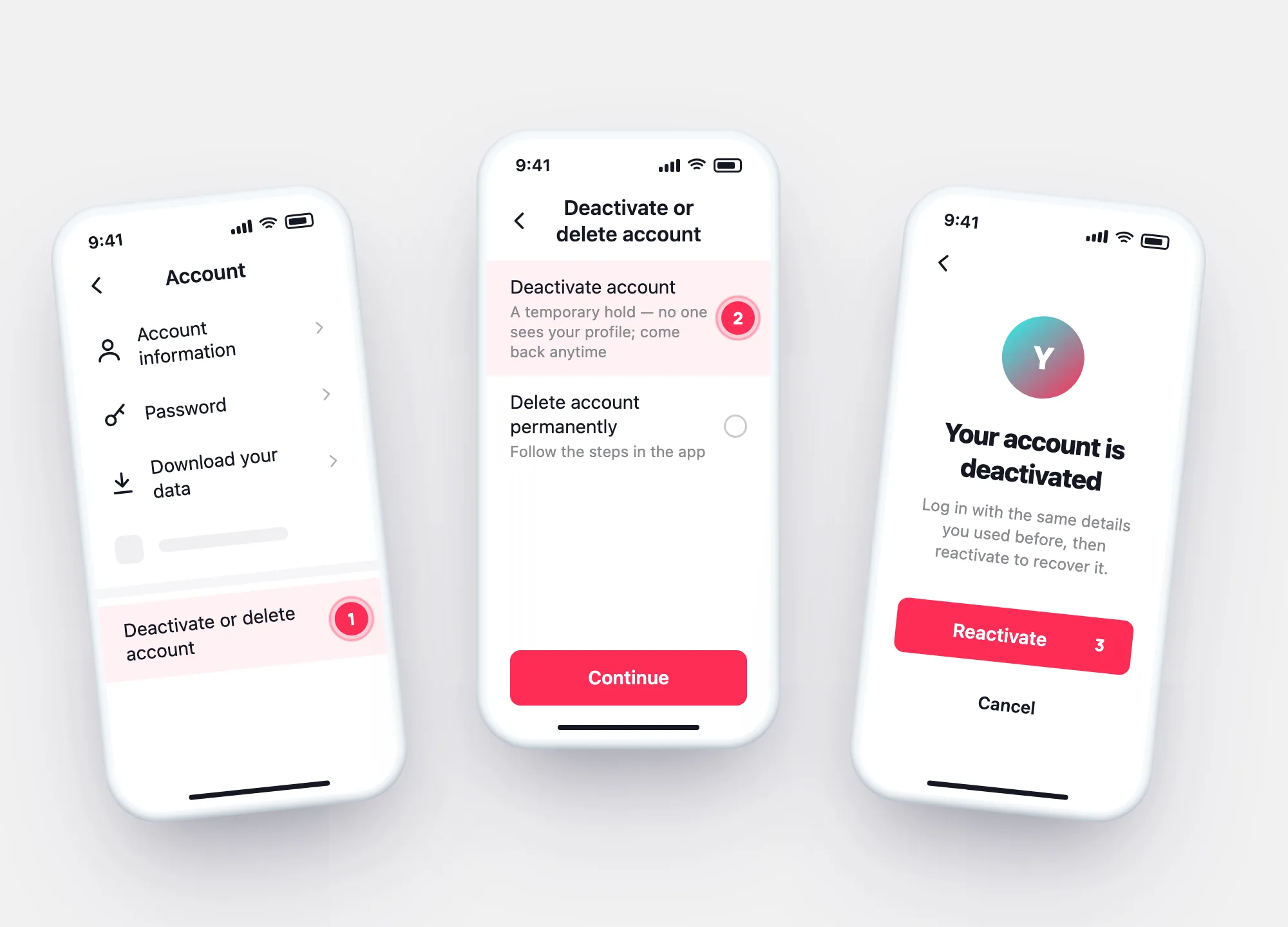
Use the same login details you used before you deactivated.
Tap Reactivate to recover the account.
Forgot the login? Reset the password first.
Two paths
Deactivated vs. deleted: what each one does
| Deactivated | Deleted | |
|---|---|---|
| Your profile and posts | No one sees them | Removed |
| Your data | Kept, so you can come back | Handled under TikTok’s Privacy Policy |
| Coming back | Log in → Reactivate, anytime | Deactivated for 30 days, then removed permanently |
| Still visible to others | Messages you sent; Duets and Stitches with your videos | — |
| Where | Account → Deactivate or delete account | Same menu |
The 30 days come from TikTok’s help article on registered phone numbers: a deleted account is deactivated for 30 days and then removed for good. After that, its phone number can be used for a new account.
In one picture
Where deactivation lives in the app
Profile → ☰ → Settings and privacy → Account → Deactivate or delete account → Deactivate account.
- Deactivate — a temporary hold, reversible by logging in.
- Delete — follow the instructions; read what the app says applies.
- Download your data first if you might delete.
Inactive accounts
Not deactivated, just unused?
TikTok’s Inactive Account Policy: if an account isn’t used to access TikTok for 180 days or more, its username may be reset to a random number. Inactivity isn’t shown publicly, and TikTok says it usually can’t reassign a username that’s taken.
Questions